
File Review
File review centralizes document review, annotation, approval, signatures, stamps and reports inside the drive. It is suitable for contract countersignature, drawing review, project delivery, thesis defense, policy release, proposal confirmation and cross-department approval.
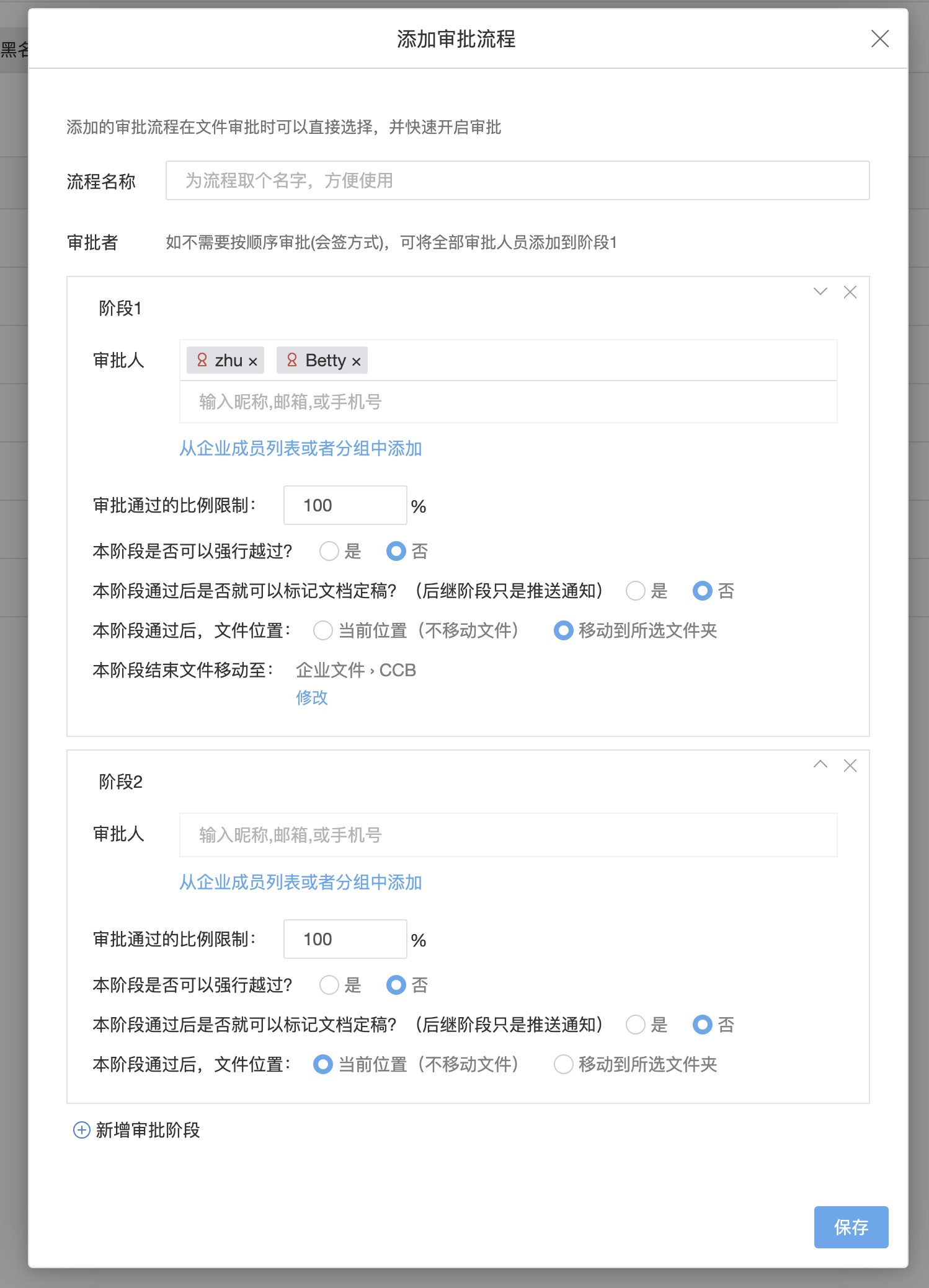
Review Objects
BabelBird supports review of a single file or multiple files. During review, participants can preview files online, add annotations, write opinions, approve or reject, and insert signatures or stamps when needed.
Common objects include:
- Contracts, quotations, acceptance forms and policies.
- Drawings, design drafts, proposals and technical documents.
- Project deliverables, archive materials and customer confirmation materials.
- Files that require external experts, suppliers or customers to confirm.
Review Flow
File review can use a freely defined flow or an enterprise preset approval flow. Different departments can decide whether users may define flows freely, must use preset flows, can use only limited flows or inherit parent-department settings.
A typical flow is:
- The initiator selects one or more files and creates a review task.
- The initiator selects or defines a review flow, stages, approvers and pass rules.
- The system locks files under review to prevent arbitrary edits or new-version uploads.
- Approvers preview files online, add annotations, write opinions and submit results.
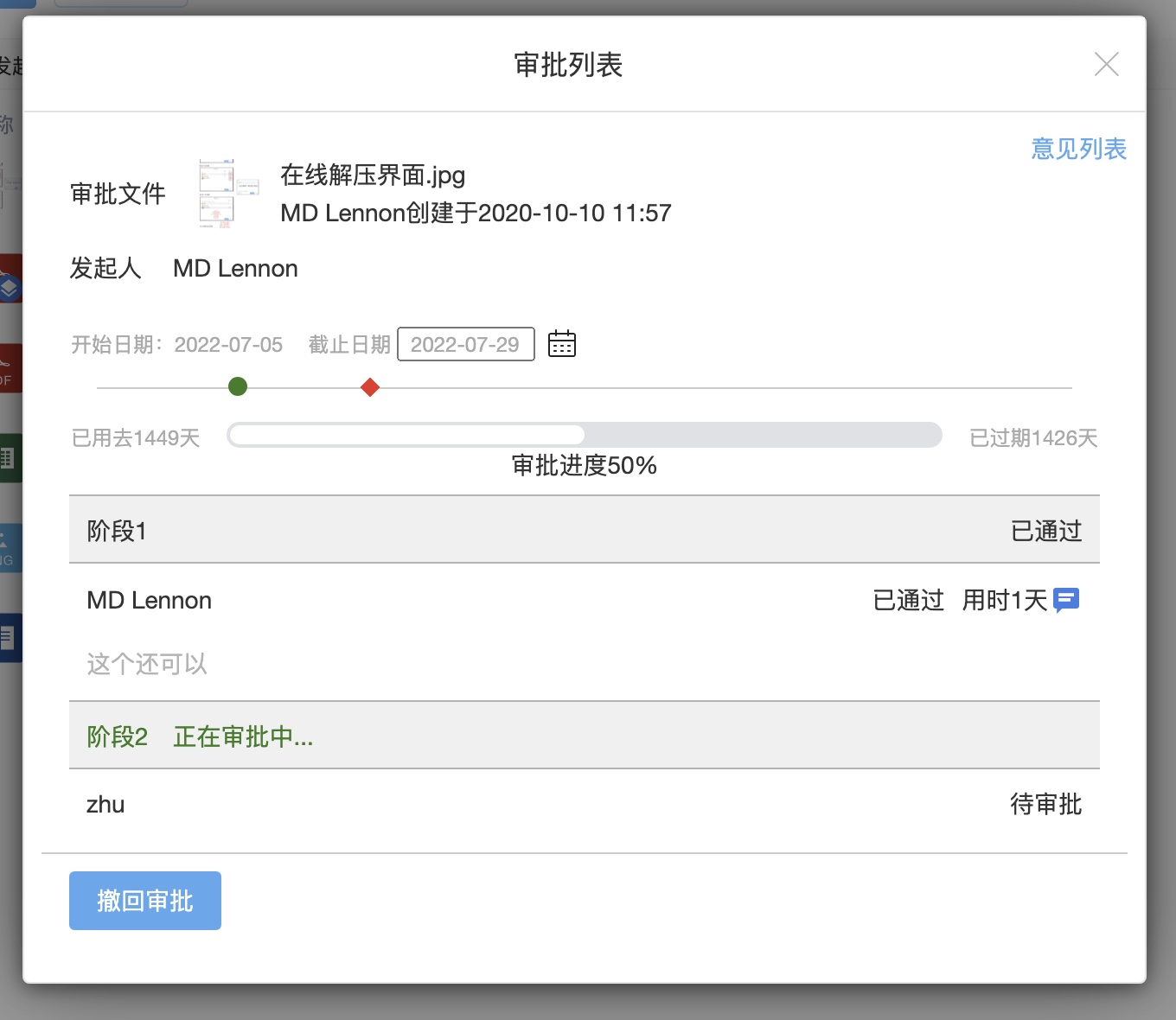
- Multi-stage flows proceed in order and move forward after pass-ratio requirements are met.
- After completion, the system generates a report and can insert signatures/stamps or export PDF if needed.
Stages And Pass Rules
| Setting | Description |
|---|---|
| Multi-stage approval | A review flow can contain multiple stages executed in order |
| Multiple approvers | Each stage can contain one or more approvers |
| Pass ratio | Stages can require all approvers, a configured percentage or other rules |
| Skip stage | Certain stages can be skippable depending on configuration |
| Preset flow | Administrators can maintain common approval flows for teams to use |
| Department policy | Departments can restrict available flows to reduce process sprawl |
Annotation, Signature And Stamp
Reviewers can inspect files in the previewer, add annotations and write opinions. For formal confirmation, signatures or stamps can be inserted after review and the result can be downloaded as PDF.
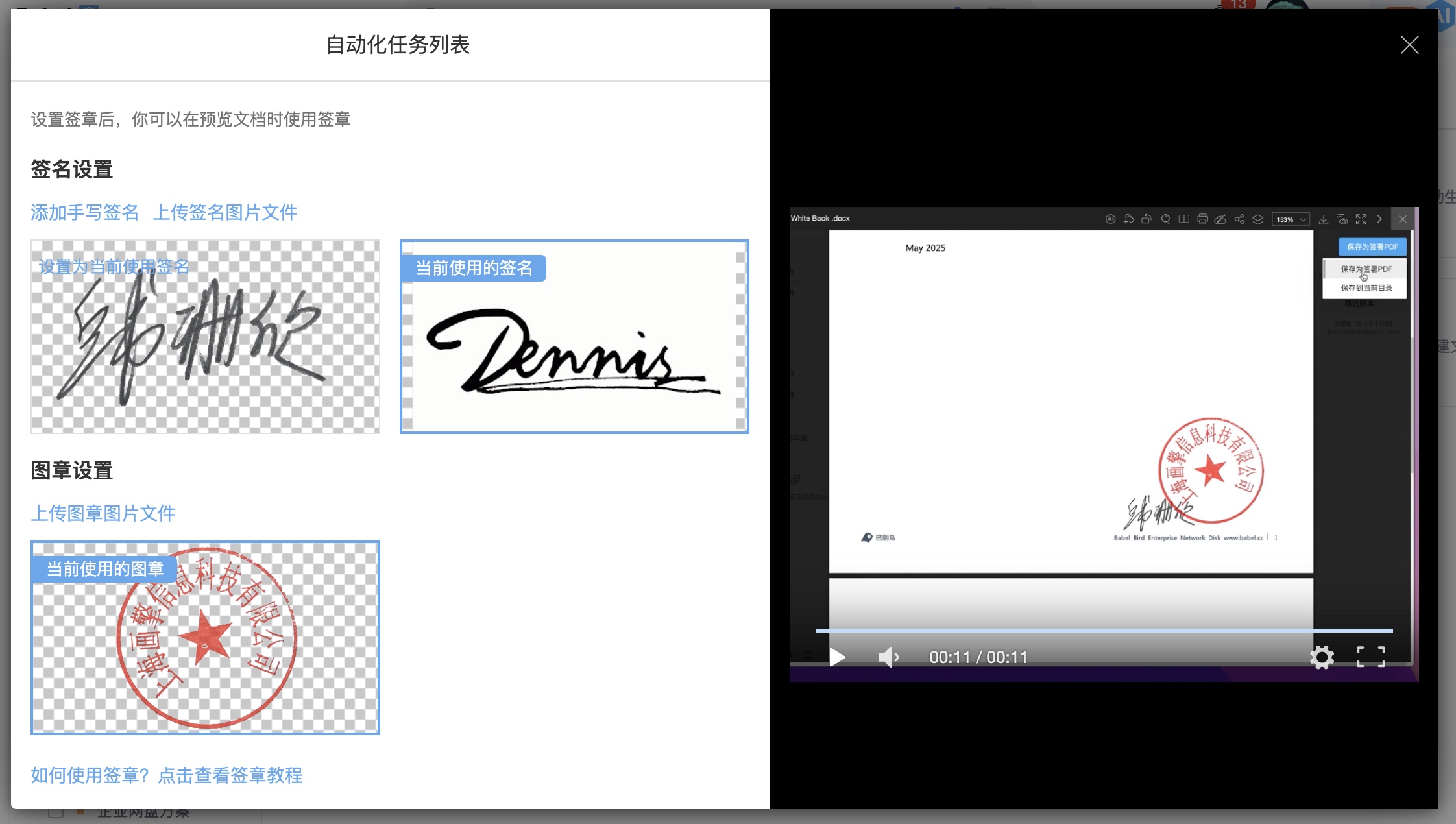
Signatures and stamps are commonly used for:
- Drawing countersignature and design confirmation.
- Contract, quotation or acceptance approval.
- Policy release and department confirmation.
- External expert opinion confirmation.
External Review
File review supports inviting external participants such as customers, suppliers, experts or partners. External reviewers can be invited by phone number or email depending on enterprise configuration. For external review, configure expiry, visible scope, download permission and watermark strategy carefully.
Review Report
After review ends, the system can generate a report recording stages, approvers, results, opinions, signatures and final status. Reports help trace the process and can support project delivery, archiving, internal control and audit.
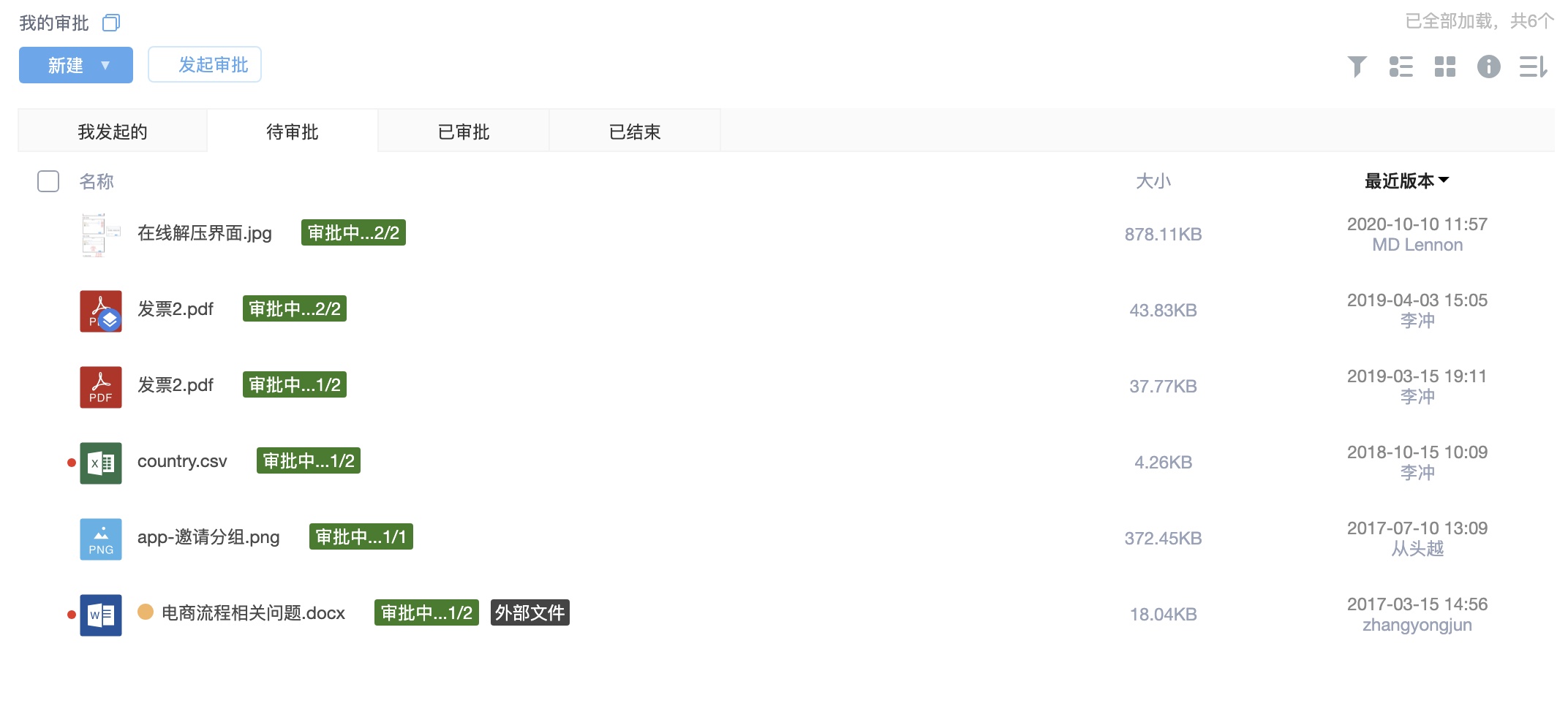
My Reviews And Approval Management
Users can view tasks they initiated, joined or need to process in “My Reviews”. Administrators or authorized users can inspect flow status, handle abnormal tasks and track each stage in approval management.
Relationship With Permissions And Versions
- Initiating review requires proper access and operation permissions.
- Files can be locked during review so review content and actual files stay consistent.
- File versions preserve changes before and after review.
- External review should combine sharing permissions, expiry, watermarks and download limits.
- Review, signatures, stamps and reports should enter logs or file records for traceability.